How to Replace greenBOX Fuses
This guide explains which fuses are used in current greenBOX control units and how to replace the fuses located in the Schaffner FN9260 power entry module.
The fuse values below apply to current greenBOX Nxt, greenBOX Max, and greenBOX Master units that use Schaffner FN9260 power entry modules with 5 mm x 20 mm AC fuses for the optional UL certification path.
Before servicing: disconnect power to the greenBOX and follow your facility's electrical safety procedures. If you are not qualified to service electrical equipment, contact Ecogate Support or a qualified technician before replacing fuses.
Use 5 mm x 20 mm slow-blow glass fuses
The greenBOX power inlet uses European-standard glass fuses. The physical fuse size is 5 mm diameter x 20 mm length, and the fuse type should be slow blow.
Each Schaffner FN9260 power entry module holds two fuses. greenBOX Nxt uses one power inlet, while greenBOX Max and greenBOX Master use two power inlets, for a total of four fuses.
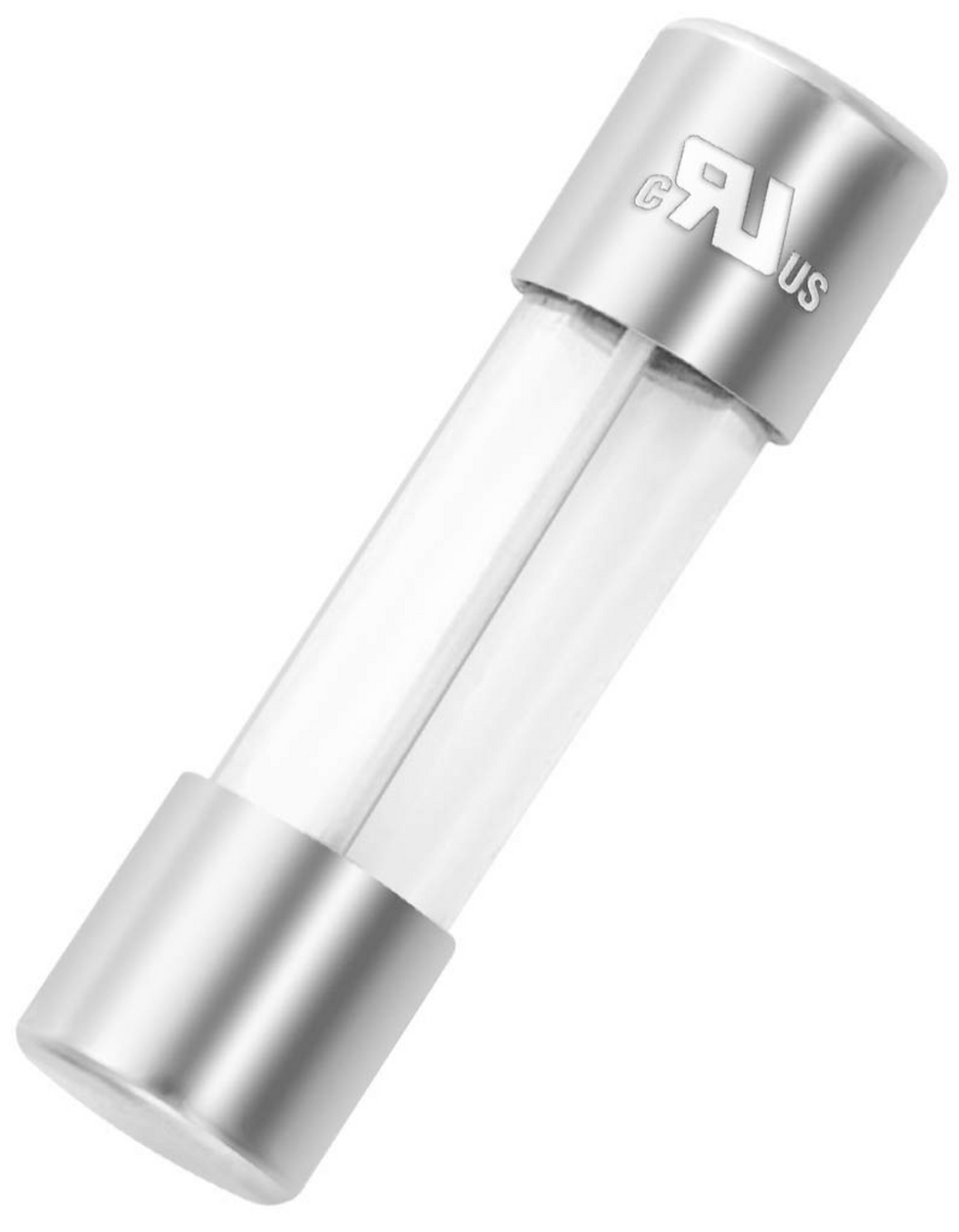
Use a 5 mm x 20 mm slow-blow glass fuse with the correct amperage for the greenBOX model.
greenBOX fuse values by model
greenBOX model | Fuse type | Fuse value | Quantity |
greenBOX Nxt | UL-listed or UL-recognized slow-blow glass fuse, 5 mm x 20 mm | 5A | 2 fuses |
greenBOX Max | UL-listed or UL-recognized slow-blow glass fuse, 5 mm x 20 mm | 8A | 4 fuses |
greenBOX Master | UL-listed or UL-recognized slow-blow glass fuse, 5 mm x 20 mm | 10A | 4 fuses |
Remove the fuse holder from the power entry module
After power has been disconnected, use a large flat-head screwdriver to carefully pull the fuse holder out of the Schaffner FN9260 power entry module.
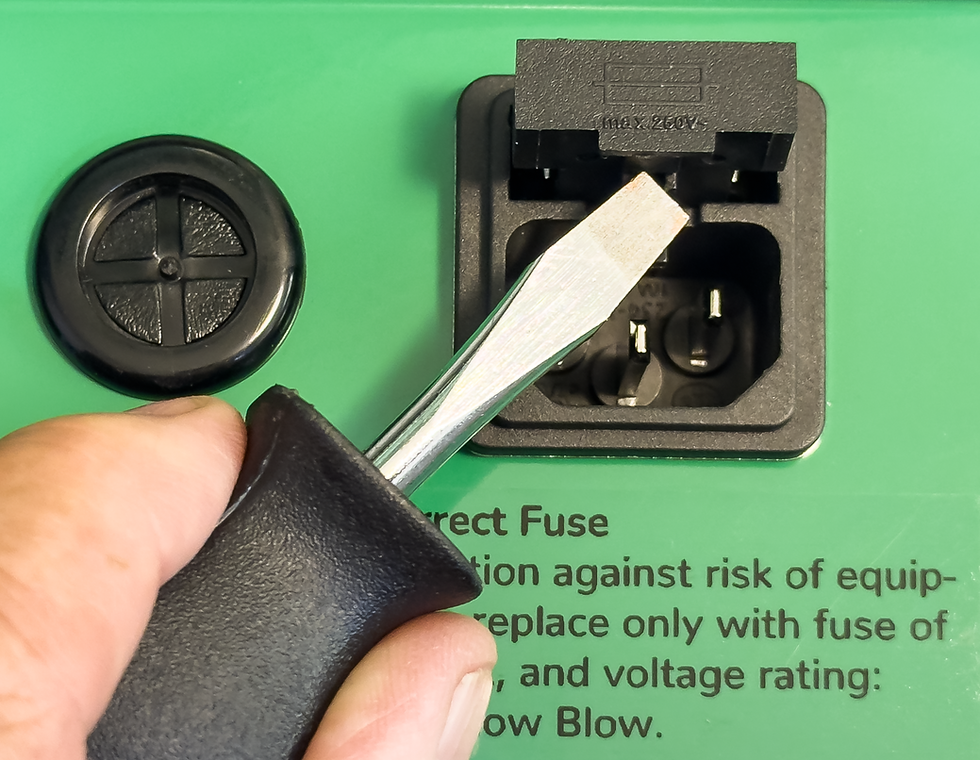
Use a large flat-head screwdriver to release and pull out the fuse holder from the power entry module.
Once the holder is out, tilt the fuses out of the holder. Replace failed fuses only with the same physical size, slow-blow type, current rating, and voltage rating.
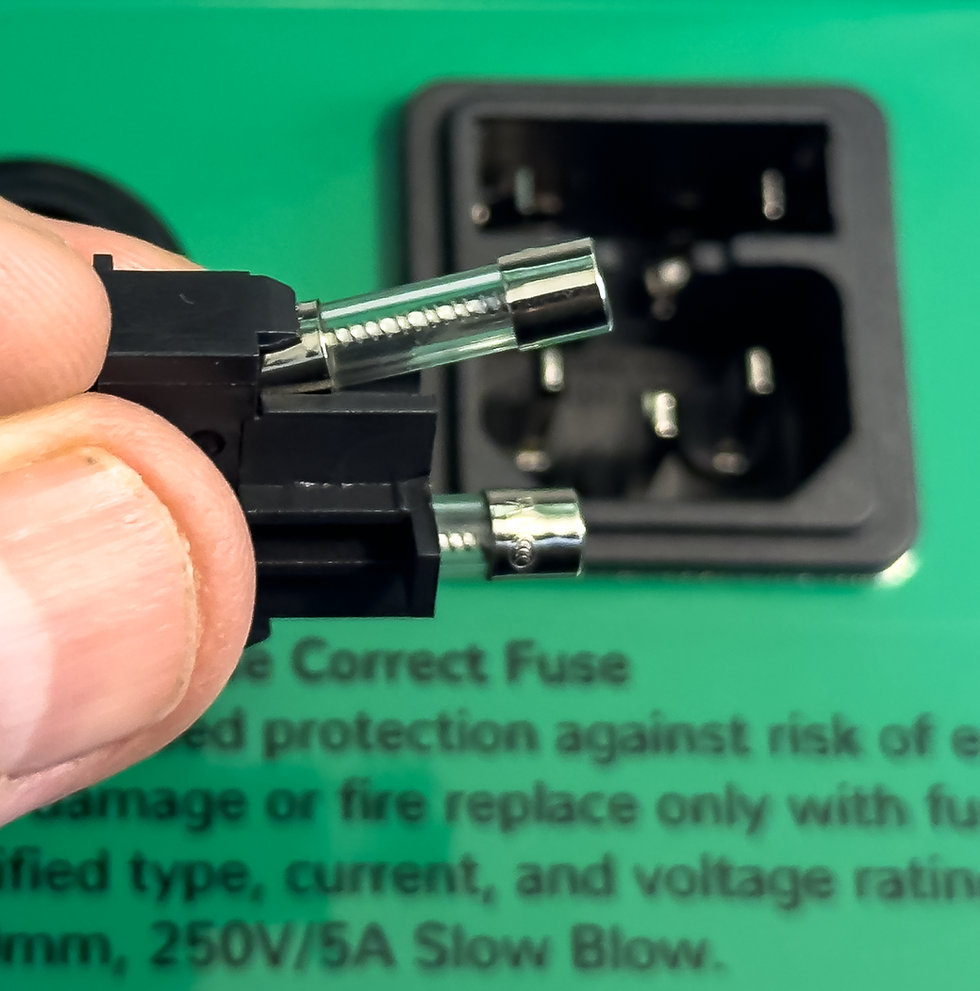
Tilt the fuses out of the holder, then install replacement fuses that match the required rating for the greenBOX model.
It is recommended to test the removed fuses with an ohmmeter. If both fuses test good, the problem may be elsewhere in the greenBOX power supply circuit.
Do not replace the internal Mean Well fuse
The Mean Well 24V DC power supply module also includes an internal fuse at the power input. That internal fuse is soldered to the power supply and is not user-replaceable.
If the internal Mean Well fuse has failed, replace the entire power supply module rather than attempting to replace the soldered fuse.
greenBOX model | 24V DC power supply module | Quantity |
greenBOX Nxt | Mean Well SDR-240-24 | 1 |
greenBOX Max | Mean Well SDR-480-24 | 2 |
greenBOX Master | Mean Well SDR-480-24P | 4 |
Replacement power supply modules are available directly from Ecogate, Mouser, or DigiKey.
Where to buy replacement fuses
Replacement fuses are commonly available from Mouser, DigiKey, and Amazon. Match the fuse value to the greenBOX model before ordering.
greenBOX model | Fuse value | Example Amazon link |
greenBOX Nxt | 5A slow blow, 5 mm x 20 mm | |
greenBOX Max | 8A slow blow, 5 mm x 20 mm | |
greenBOX Master | 10A slow blow, 5 mm x 20 mm |
Need help confirming the correct part? Contact Ecogate Support or email support@ecogate.com before replacing power entry fuses or power supply modules.


Comments